¶ Introduction
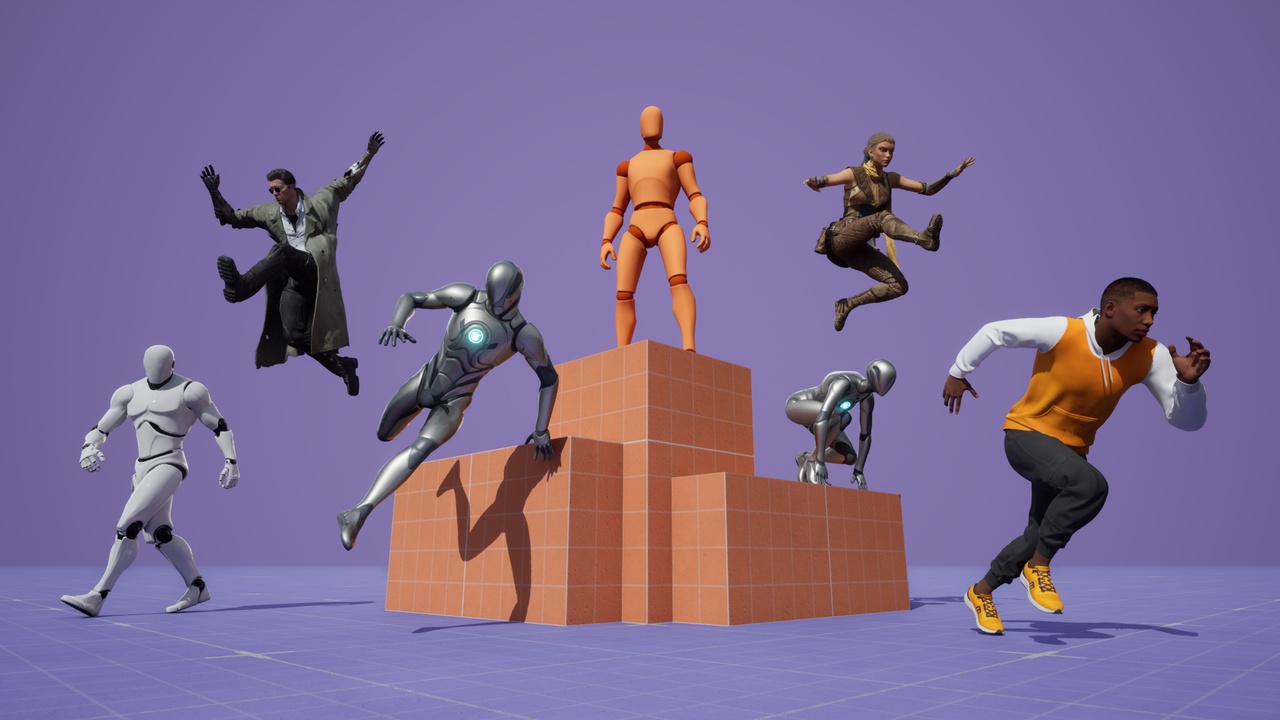
This page explains how to integrate the Character Editor V11 with the Game Animation Sample Project (GASP) from Epic Games using Unreal Engine 5.6 and the Meta Human Kellan provided with GASP. Unreal Engine 5.7 has been tested and is also working, since Epic Games made no changes to GASP for this engine version.
Note, that the current version of GASP (November 2025) is using the old-style Meta Human materials. The ZIP file, downloaded during the installation guide below, provides a modified M_MetaHumanSkin_Simplified asset to support our skin color, tattoos and apparel masks.
If you want to integrate custom Meta Humans with new-style materials, you can follow our tutorial for the new-style Meta Humans, where we provide modified assets specific to those Meta Humans.
Also note, that the body mesh of Meta Human Kellan contains only hands and feet. If you need a full body mesh, you have to import your own Meta Human.
¶ Installation
This installation guide shows you how to setup the project.
Step 1 and 2 of this installation guide show how to setup a fresh GASP project. If you have GASP running in your custom project, already, you should be able to simply skip to step 3 and proceed with installing the Character Editor V11.
-
Create a new project using GASP:
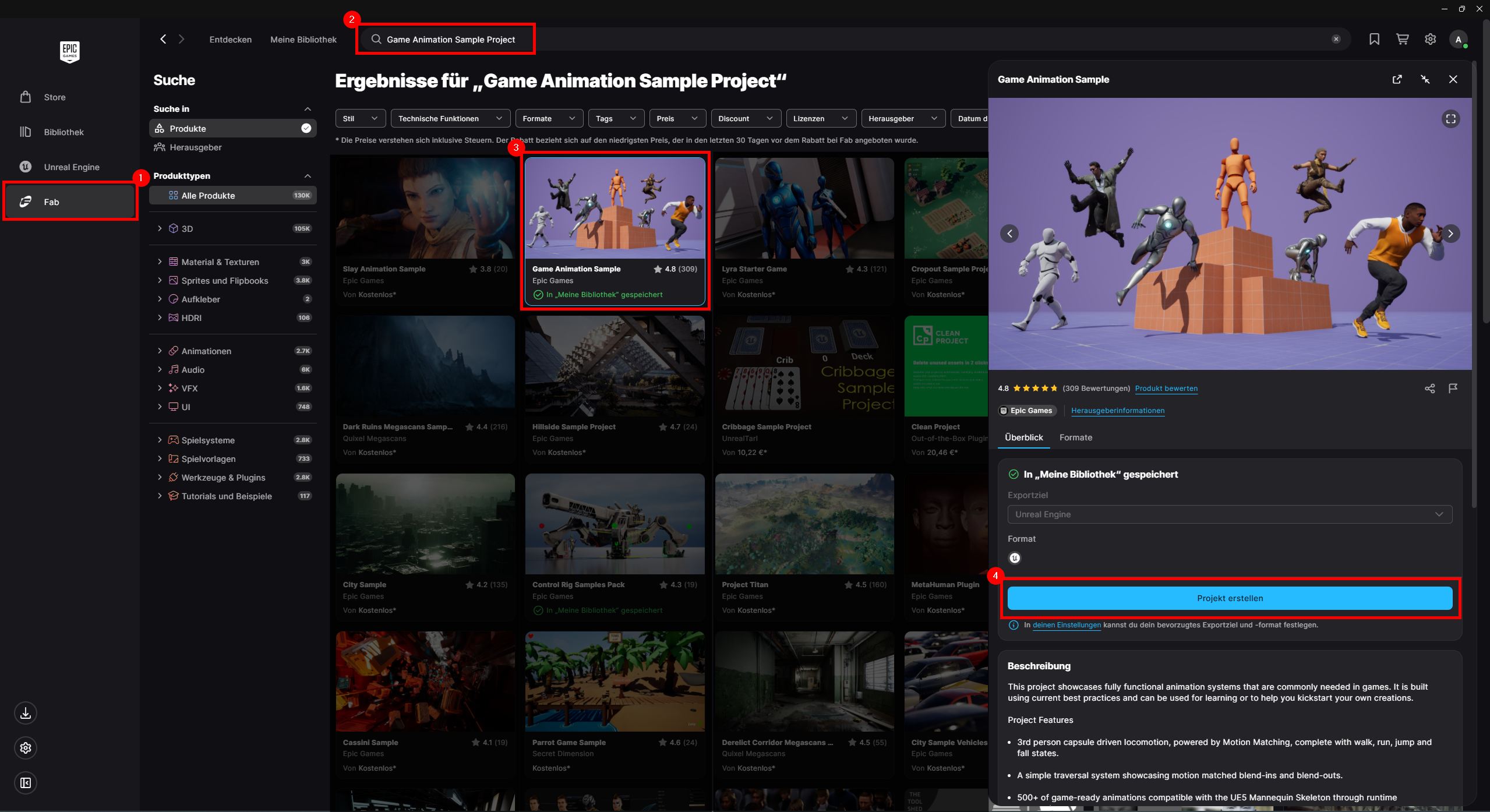
- Open Fab in Epic Games Launcher.
- Search for Game Animation Sample Project.
- Select the asset.
- Click on Create Project.
-
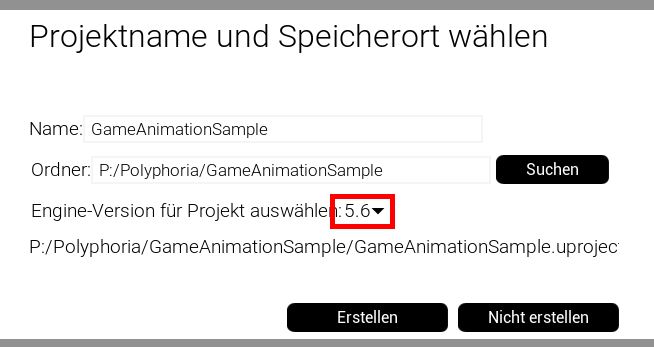
After clicking the button, select engine version 5.6 or 5.7:
-
Add the Character Editor V11 to the new project:
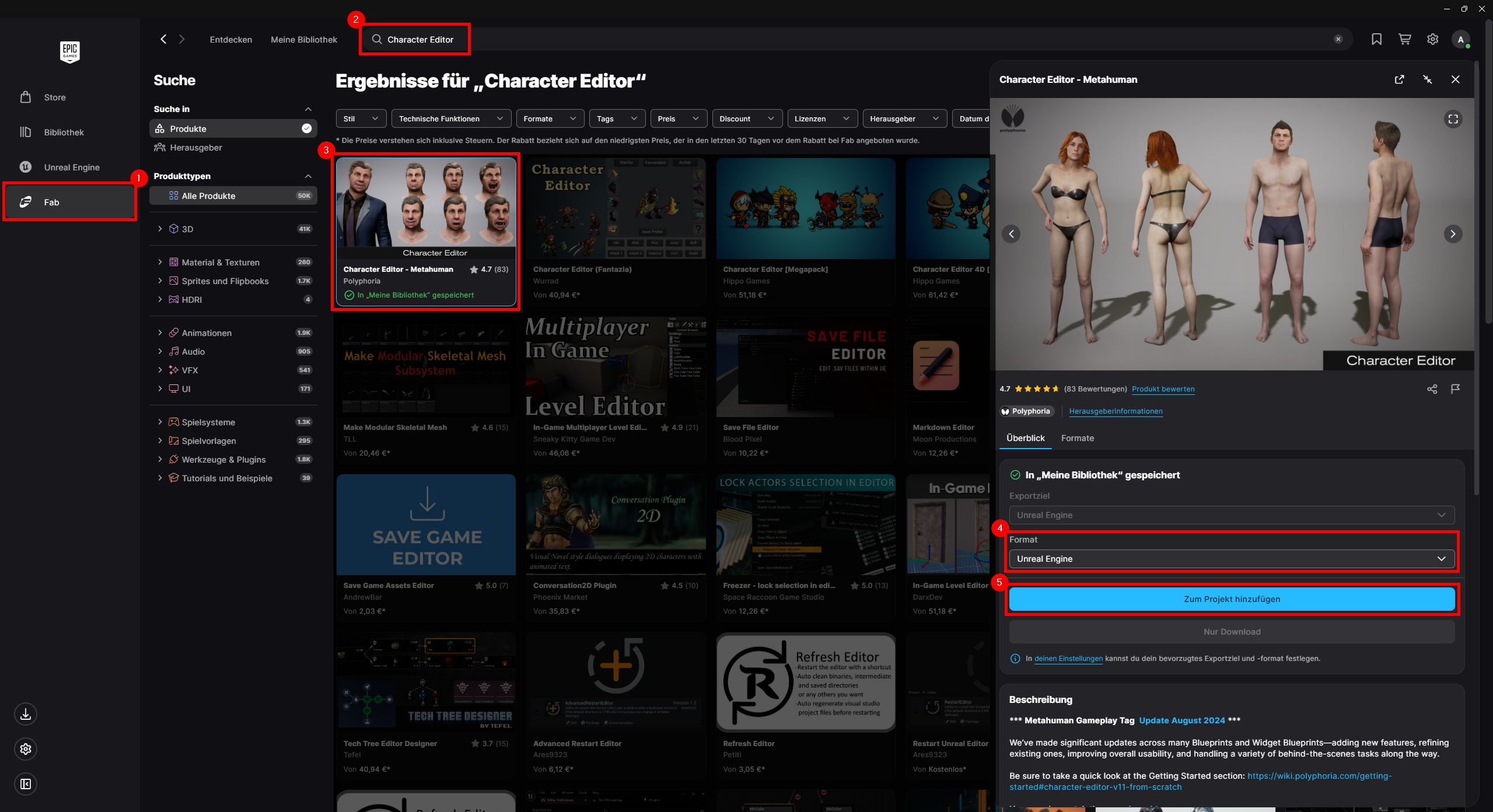
- Open Fab in Epic Games Launcher, again.
- Search for Character Editor.
- Select the asset.
- Select Unreal Engine as the format.
- Click on Add to Project.
-
After clicking the button, add the Character Editor to the GASP project:
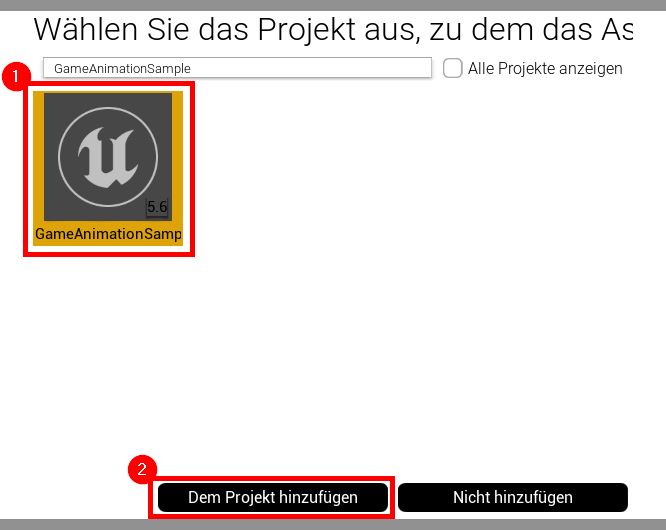
- Select the GASP project
- Click on Add to Project.
-
Start the GASP project.
-
Confirm Content/CharacterEditor/ exists and open the project folder on your machine:
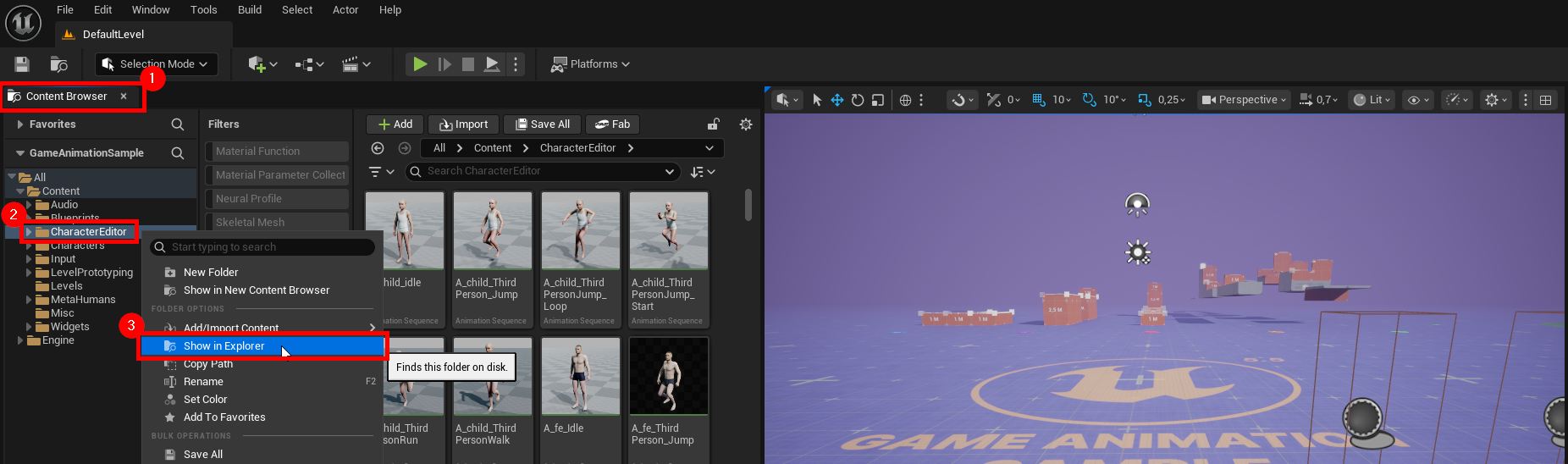
- Go to the Content Browser.
- Right click on folder CharacterEditor.
- Click on Show in Explorer.
-
Close the GASP project, since we will replace a few files in step 9.
-
Download CharacterEditor_UE56_GASP_Integration_Files.zip. (Preview its content in this chapter below.)
-
Copy the ZIP files to the GASP project:
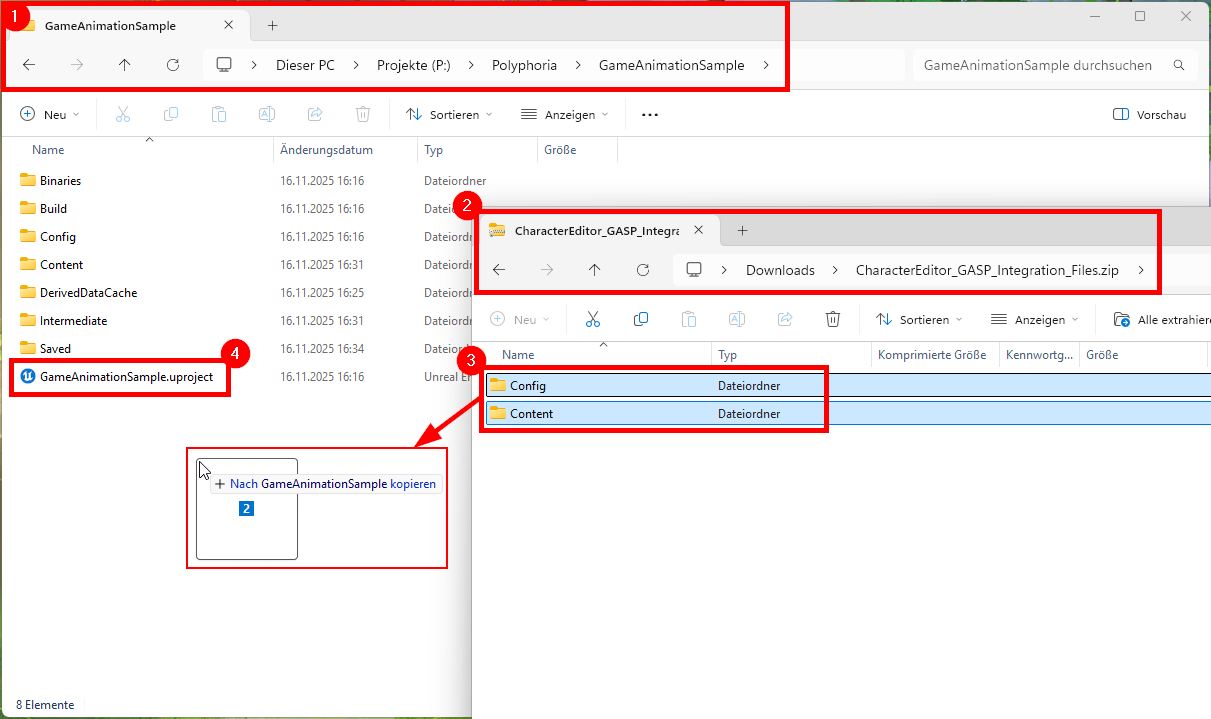
- From step 6 Show in Explorer, navigate two folders up to your project root folder.
- Open a second Windows Explorer and navigate to the downloaded ZIP file (and optionally unzip it).
- Copy its folders Config and Content to your project root and replace existing files.
(See Modified Assets below for details on which assets got replaced.)- Config contains gameplay tags INI files.
- Content contains demo files.
- Start the GASP project, again.
-
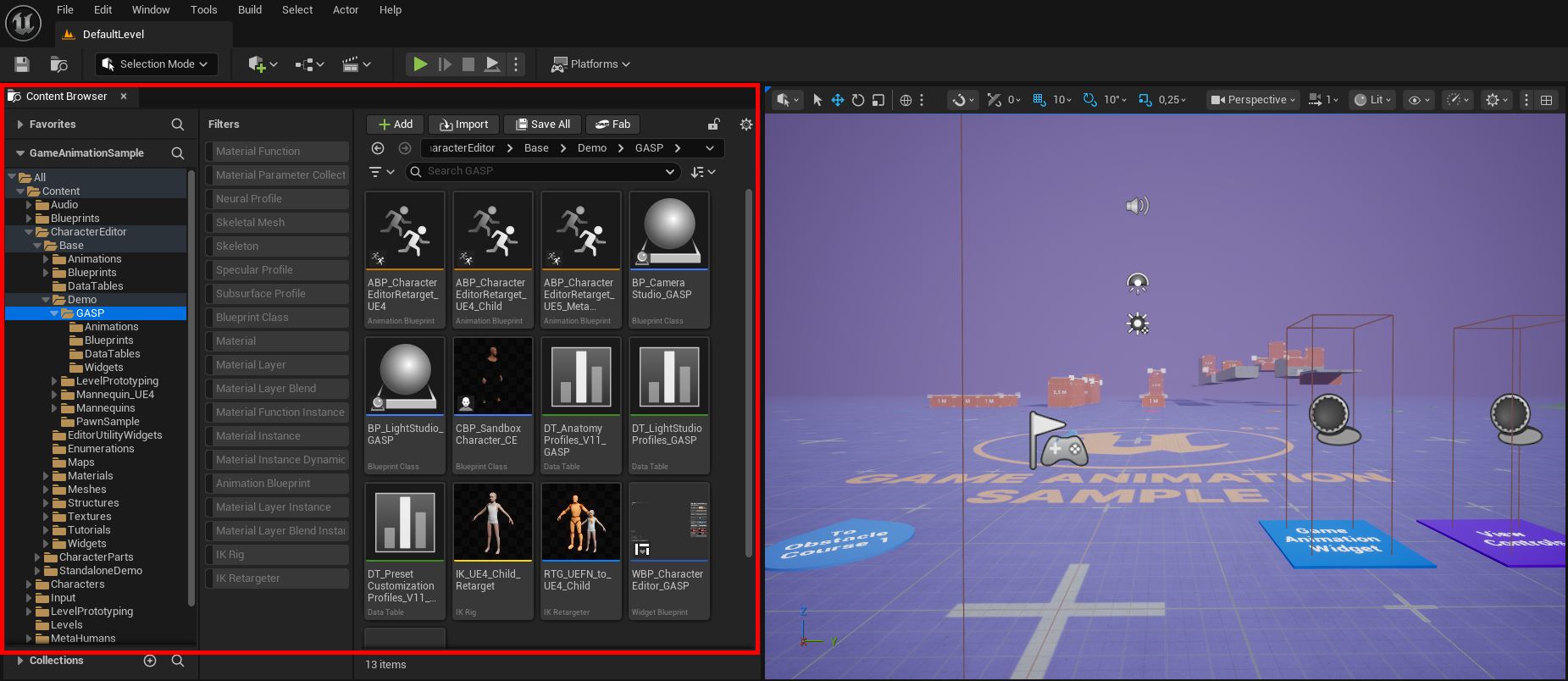
Confirm Content/CharacterEditor/Base/Demo/GASP/ exists.
-
Done! Proceed with next chapter.
¶ Play in Editor
-
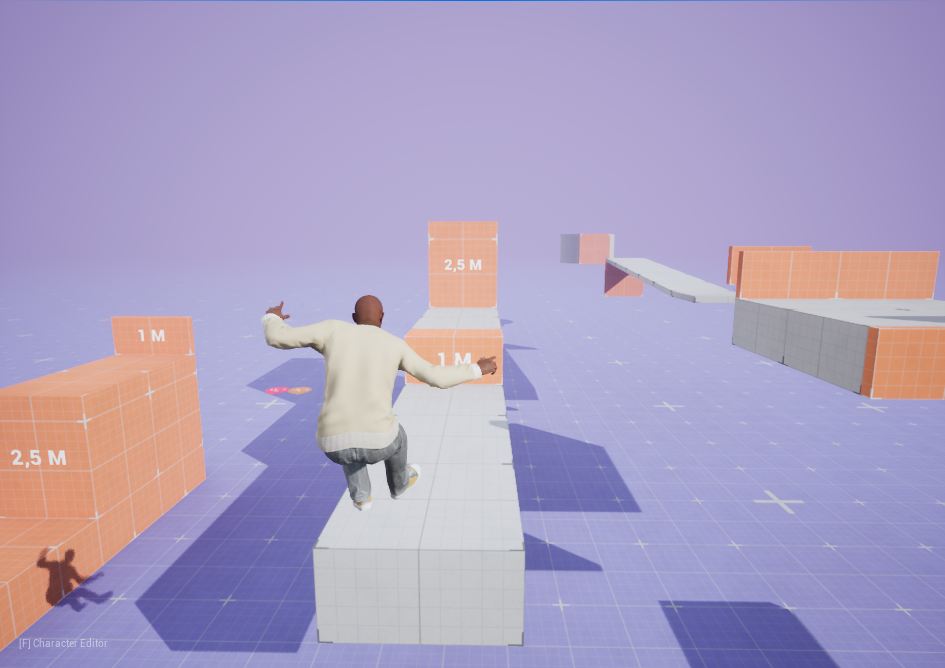
Having the DefaultLevel open, play the game using our migrated character:
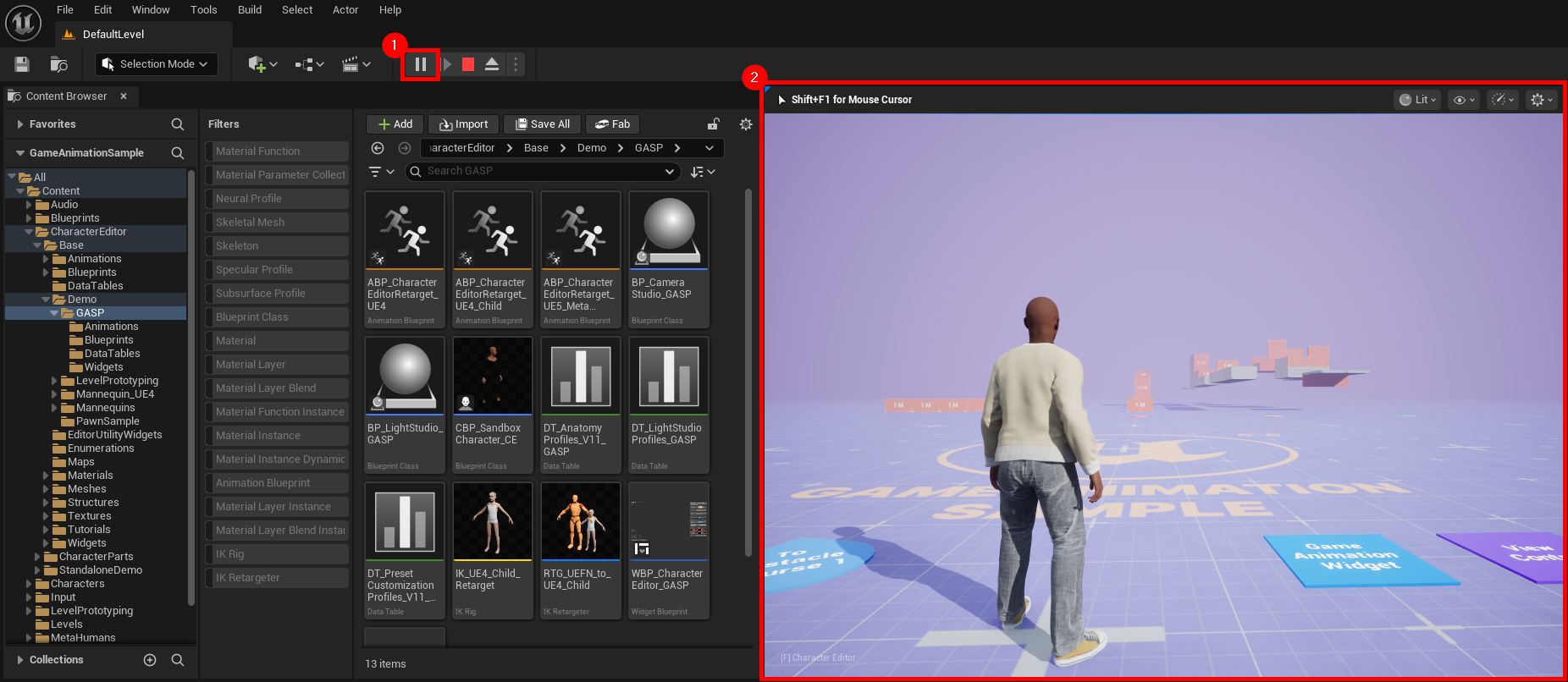
- Click on Play in Editor
- See CBP_SandboxCharacter_CE spawning, which is assigned in the modified GM_Sandbox.
-
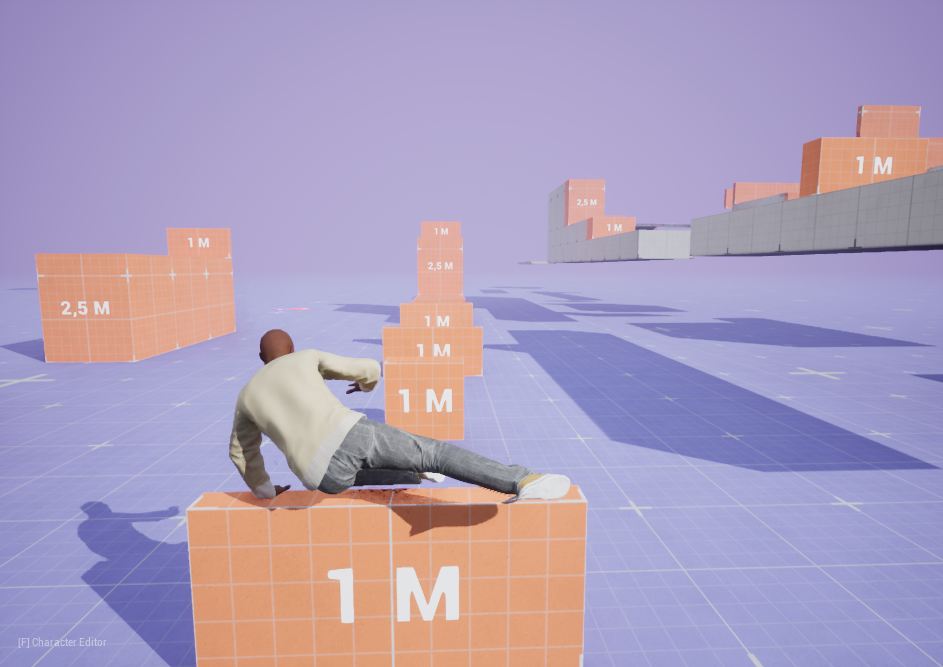
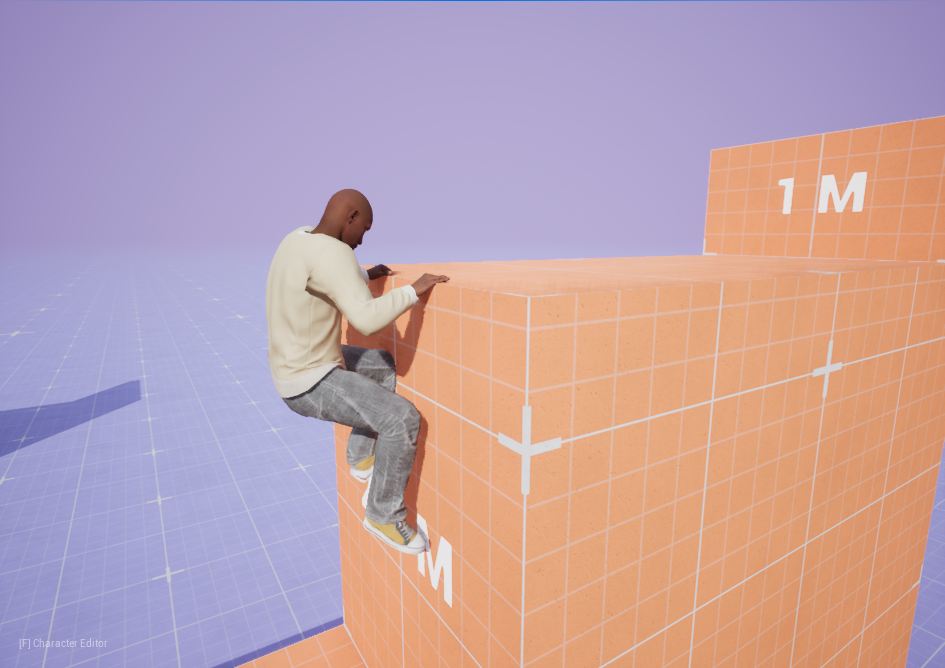
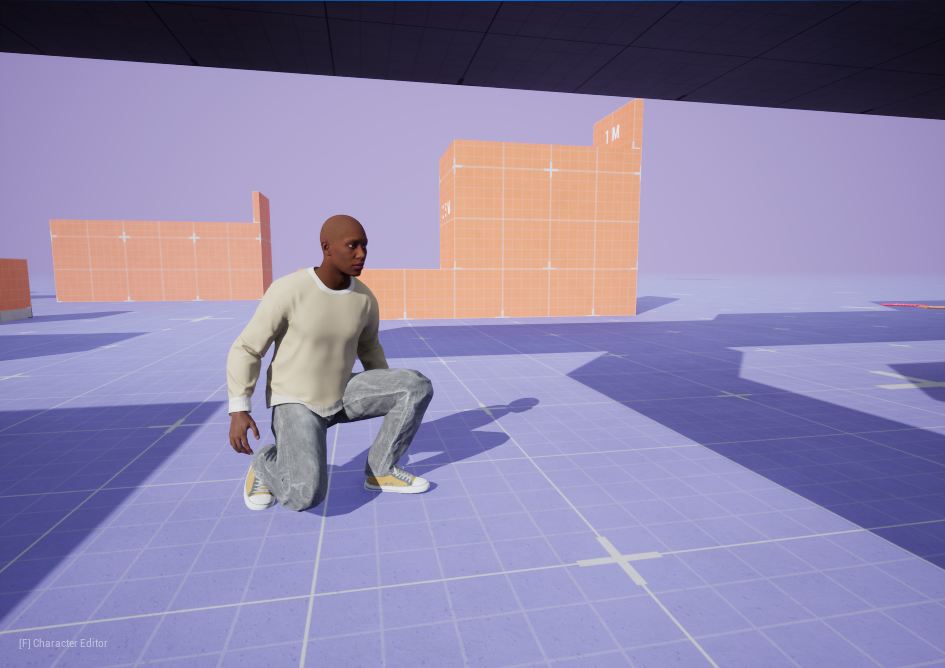
Have fun with your parkour run!
-
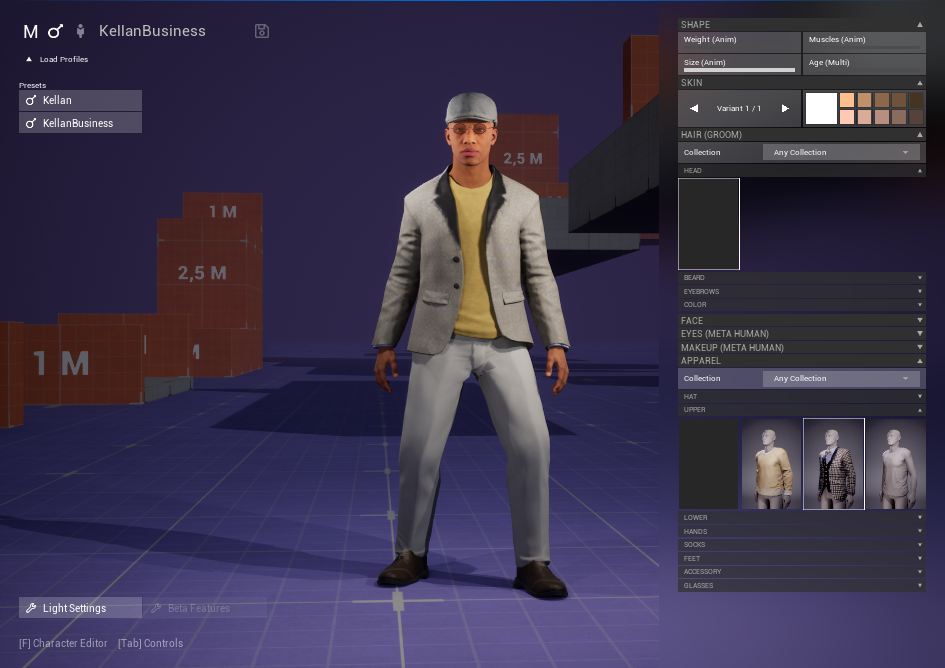
Use the in-game Character Editor with the F hotkey.
-
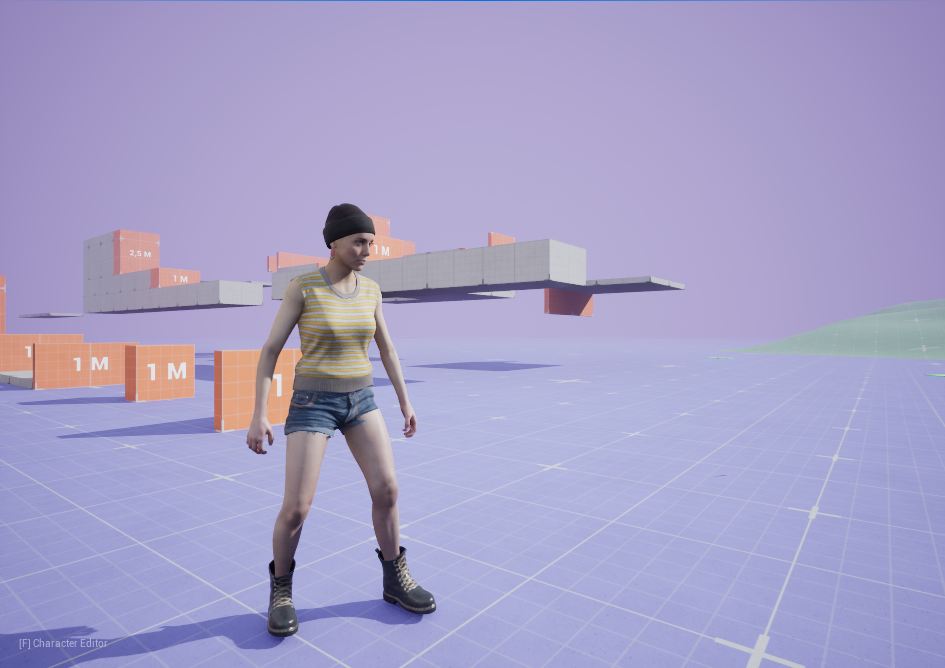
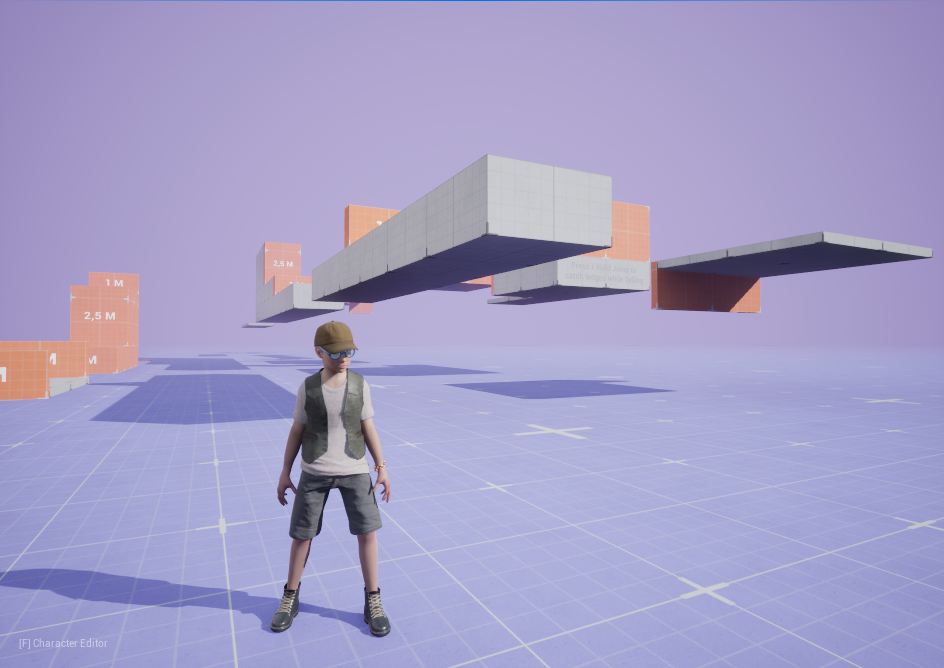
Our zipped integration files default the character's customization profile to Meta Human Kellan, but our UE4 style Human Adult and Human Child anatomies are supported as well!
-
Use the Game Animation Widget from GASP to toggle between other and our character.
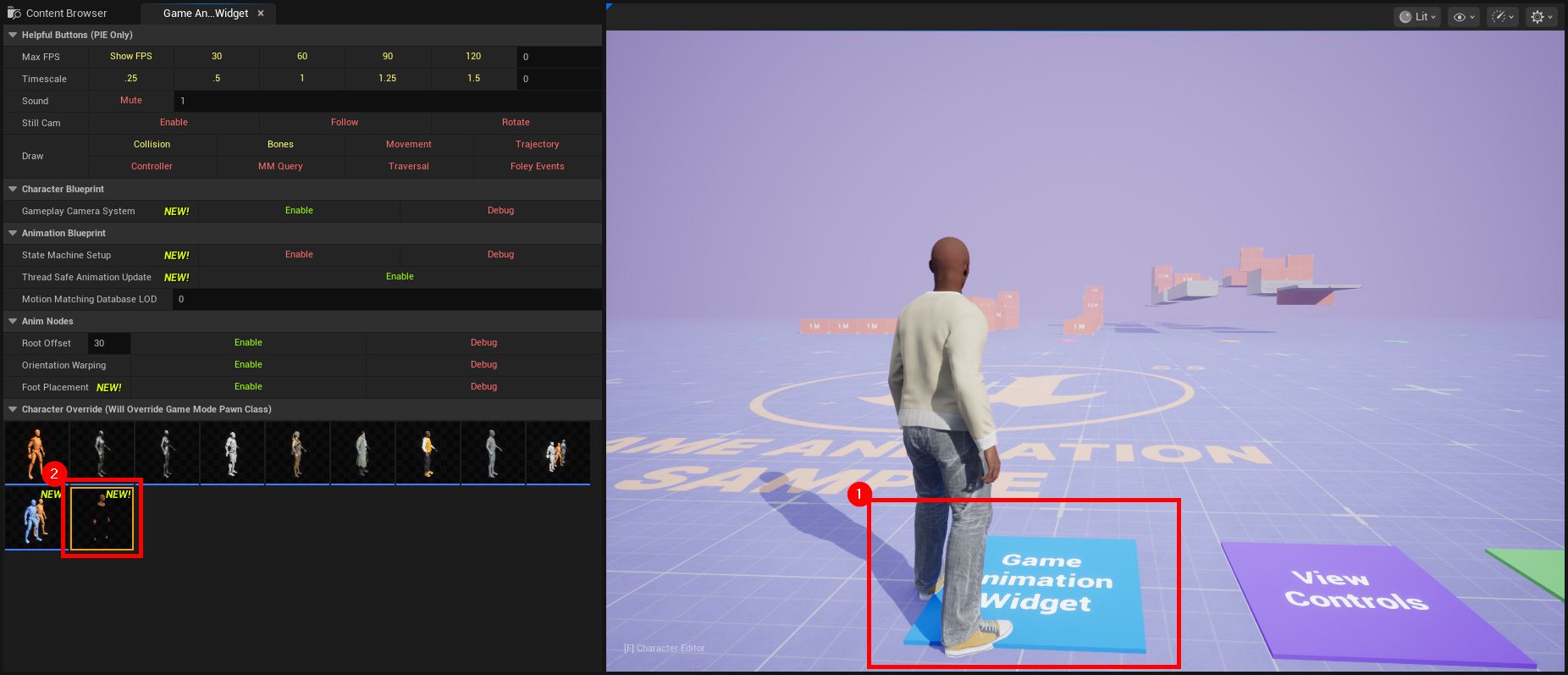
- Move onto the Game Animation Widget labeled platform.
- Click on other characters or CBP_SandboxCharacter_CE.
¶ Integration Files Overview
This list gives you a quick overview on the content of CharacterEditor_UE56_GASP_Integration_Files.zip.
- The assets tagged with "GASP modified" are GASP-native files updated for the Character Editor integration.
- The Tags INI files are the ones also used when Getting Started with the Character Editor in any other project.
- The CharacterEditor/Base/Demo/GASP/ files have been created exclusively for Character Editor integration with GASP, following the naming convention of GASP assets.
A click on each asset scrolls to its details chapter.
- Config/
- DefaultGameplayTags.ini GASP modified
- Tags/
- Content/
- Blueprints/
- GM_Sandbox GASP modified
- CharacterEditor/Base/Demo/GASP/
- Animations/
- Blueprints/
- DataTables/
- Widgets/
- MetaHumans/Common/Shared/Materials/
- M_MetaHumanSkin_Simplified GASP modified
- Widgets/
- GameAnimationWidget GASP modified
- Blueprints/
¶ Integration Files: GASP modified
All modified assets are part of the GASP content.
¶ DefaultGameplayTags.ini
-
Path: Config/
-
Has the line +RestrictedConfigFiles=(RestrictedConfigName="CharacterEditorBase.ini",Owners=("Polyphoria")) added.
¶ GM_Sandbox
-
Path: Blueprints/
-
Has its Default Pawn Class changed to our new CBP_SandboxCharacter_CE.
¶ GameAnimationWidget
-
Path: Widgets/
-
A new "Character Override" has been added to select our new CBP_SandboxCharacter_CE.
¶ M_MetaHumanSkin_Simplified
-
Path: MetaHumans/Common/Shared/Materials/
-
Is the base material of Meta Human Kellan skin.
-
Got updated to support our skin tint, tattoos and apparel mask parameters. (see blue comment boxes)
¶ Integration Files: Tags INI files
These are the INI files further explained in the Gameplay Tags documentation.
¶ CharacterEditor.ini
¶ CharacterEditorBase.ini
¶ Integration Files: Demo/GASP/
All demo files are located at CharacterEditor/Base/Demo/GASP/. The order of the following chapters start at CBP_SandboxCharacter_CE and continue in the order of Blueprints, Widgets, DataTables, and Animations.
¶ CBP_SandboxCharacter_CE
-
Path: Blueprints/
-
Inherits GASP's CBP_SandboxCharacter similar to the other GASP characters.
-
Is assigned to GM_Sandbox ➝ Default Pawn Class.
-
Integrates the Character Editor logic similar to our BP_Character:
- BP_CharacterCustomization component
- BP_CharacterEditor component
- LODSync component
- Interface functions
- Variables
-
Has the CE_BaseBody skeletal mesh component, which uses the same approach as the other GASP characters:
- This component is attached to the Mesh (CharacterMesh0) component.
- It is returned by our Get Basebody Body Component interface function, thus being used by BP_CharacterCustomization to apply customization profiles.
- The anatomy of the loaded profile applies a retarget Anim Blueprint (details in the chapters below) to follow the animations of the main Anim Blueprint ABP_SandboxCharacter on the parent Mesh (CharacterMesh0) component, where all the fancy GASP animations are defined.
-
Has its BP_CharacterEditor component to use GASP-specific assets (details in the chapters below):
- Camera Studio Class = BP_CameraStudio_GASP
- Light Studio Class = BP_LightStudio_GASP
- Light Studio Profiles Handle = DT_LightStudioProfiles_GASP
- Character Editor Widget Class = WBP_CharacterEditor_GASP
- Idle Widget Class = WBP_Instructions_GASP
-
Has its Profile to Load set to Kellan, one of our two example profiles using the Meta Human Kellan from GASP.
-
Has its Anatomy Data Table set to DT_AnatomyProfiles_V11_GASP.
-
Has its Preset Data Table set to DT_PresetCustomizationProfiles_V11_GASP.
-
Event Graph ➝ Begin Play triggers Character Editor initialization with a Delay Until Next Tick since this is required when spawning the character during runtime, e.g. from the Game Animation Widget.
-
Event Graph ➝ Opens the in-game Character Editor with the F hotkey, since our default C hotkey conflicts with the GASP crouch action.
¶ BP_CameraStudio_GASP
-
Path: Blueprints/
-
Inherits our BP_CameraStudio.
-
Is assigned to CBP_SandboxCharacter_CE ➝ BP_CharacterEditor ➝ Camera Studio Class.
-
Event Graph ➝ Enables the F hotkey and disables the C hotkey to close the in-game Character Editor.
-
Class Defaults ➝ Rotates Pawn is set to False (rotation mode "Camera"), since True (rotation mode "Character") is not possible using GASP without any additional complex changes, because the Character and/or Anim Blueprint are enforcing the character rotation on their own, already.
¶ BP_LightStudio_GASP
-
Path: Blueprints/
-
Inherits our BP_LightStudio.
-
Is assigned to CBP_SandboxCharacter_CE ➝ BP_CharacterEditor ➝ Light Studio Class.
-
Has its Data Table Handle set to DT_LightStudioProfiles_GASP.
¶ WBP_CharacterEditor_GASP
-
Path: Widgets/
-
Is copied from our WBP_CharacterEditor.
-
Is assigned to CBP_SandboxCharacter_CE ➝ BP_CharacterEditor ➝ Character Editor Widget Class.
-
Configures its WBP_LightSettings to use DT_LightStudioProfiles_GASP as its Light Studio Profiles Table.
-
Shows the F hotkey instead of C in the bottom left corner to close the Character Editor.
¶ WBP_Instructions_GASP
-
Path: Widgets/
-
Is copied from our WBP_Instructions.
-
Is assigned to CBP_SandboxCharacter_CE ➝ BP_CharacterEditor ➝ Idle Widget Class.
-
Shows the F hotkey instead of C in the bottom left corner to open the Character Editor.
¶ DT_LightStudioProfiles_GASP
-
Path: DataTables/
-
Is copied from our DT_LightStudioProfiles.
-
Is assigned to:
- CBP_SandboxCharacter_CE ➝ BP_CharacterEditor ➝ Light Studio Profiles Handle ➝ Data Table.
- WBP_CharacterEditor_GASP ➝ WBP_LightSettings ➝ Light Studio Profiles Table.
-
Has all light sources' Intensity multiplied by 10 relative to the values of the original DT_LightStudioProfiles table to see them better in the lighter environment of the GASP's DefaultLevel compared to our CharacterEditor_Showcase map.
¶ DT_AnatomyProfiles_V11_GASP
-
Path: DataTables/
-
Is copied from our DT_AnatomyProfiles_V11.
-
Is assigned to CBP_SandboxCharacter_CE ➝ Anatomy Data Table.
-
Has the new retarget Anim Blueprints assigned to the Anim Instance Class for the following anatomies:
- Human.Female.Adult = ABP_CharacterEditorRetarget_UE4
- Human.Female.Child = ABP_CharacterEditorRetarget_UE4_Child
- Human.Male.Adult = ABP_CharacterEditorRetarget_UE4
- Human.Male.Child = ABP_CharacterEditorRetarget_UE4_Child
- MetaHumanTalNRW.Female.Adult = ABP_CharacterEditorRetarget_UE5_MetaHuman
- MetaHumanTalNRW.Male.Adult = ABP_CharacterEditorRetarget_UE5_MetaHuman
-
Has the MetaHumanTalNRW.Male.Adult further configured to use the Meta Human Kellan for display:
- Mesh = m_med_nrw_body
- Body ➝ Skin Material Sets ➝ [0] ➝ Body:
- MI_BodySynthesized_Simplified = None
- Heads ➝ [0] ➝ Mesh = Kellan_FaceMesh
- Heads ➝ [0] ➝ Skin Material Sets (Overrides) ➝ [0] ➝ Head:
- head_LOD1_shader_shader = None
- head_LOD3_shader_shader = None
- head_LOD57_shader_shader = None
¶ DT_PresetCustomizationProfiles_V11_GASP
-
Path: DataTables/
-
Is copied from our DT_PresetCustomizationProfiles_V11.
-
Is assigned to CBP_SandboxCharacter_CE ➝ Preset Data Table.
-
Contains two example profiles Kellan and KellanBusiness to show the Meta Human Kellan working.
¶ ABP_CharacterEditorRetarget_UE4
-
Path: Animations/
-
Is copied from GASP's ABP_GenericRetarget.
-
Is assigned to:
- DT_AnatomyProfiles_V11_GASP ➝ Human.Female.Adult ➝ Anim Instance Class.
- DT_AnatomyProfiles_V11_GASP ➝ Human.Male.Adult ➝ Anim Instance Class.
-
Has its IKRetargeter set to the fixed value of GASP's RTG_UEFN_to_UE4_Mannequin.
-
Integrates the Character Editor logic similar to our ABP_ma_CharacterEditor:
- Event Graph ➝ Morph Target update an anim instance alpha.
- Anim Graph ➝ Character Editor Controls (age, size and foot transforms).
- Variables
¶ ABP_CharacterEditorRetarget_UE4_Child
-
Path: Animations/
-
Is copied from GASP's ABP_GenericRetarget.
-
Is assigned to:
- DT_AnatomyProfiles_V11_GASP ➝ Human.Female.Child ➝ Anim Instance Class.
- DT_AnatomyProfiles_V11_GASP ➝ Human.Male.Child ➝ Anim Instance Class.
-
Has its IKRetargeter set to the fixed value of our RTG_UEFN_to_UE4_Child.
-
Integrates the Character Editor logic similar to our ABP_ma_CharacterEditor:
- Event Graph ➝ Morph Target update an anim instance alpha.
- Anim Graph ➝ Character Editor Controls (age, size and foot transforms).
- Variables
¶ ABP_CharacterEditorRetarget_UE5_MetaHuman
-
Path: Animations/
-
Is copied from ABP_GenericRetarget from GASP.
-
Is assigned to:
- DT_AnatomyProfiles_V11_GASP ➝ MetaHumanTalNRW.Female.Adult ➝ Anim Instance Class.
- DT_AnatomyProfiles_V11_GASP ➝ MetaHumanTalNRW.Male.Adult ➝ Anim Instance Class.
-
Has its IKRetargeter set to the fixed value of GASP's RTG_UEFN_to_UE5_Mannequin.
-
Integrates the Character Editor logic similar to our ABP_Manny:
- Event Graph ➝ Morph Target update an anim instance alpha.
- Anim Graph ➝ Character Editor Controls (age, size, muscles, weight, IK fix and foot transforms).
- Variables
¶ RTG_UEFN_to_UE4_Child
-
Path: Animations/
-
Is assigned to ABP_CharacterEditorRetarget_UE4_Child ➝ IKRetargeter.
-
Used to retarget IK_UEFN_Mannequin to our IK_UE4_Child_Retarget (using SKEL_child skeleton).
¶ IK_UE4_Child_Retarget
-
Path: Animations/
-
Is assigned to RTG_UEFN_to_CE_UE4_Child ➝ Default Target IK Rig.